Can You Mine SASEUL From Outside Korea? What Works and What Doesn't (2026 Guide)
Can you mine SASEUL from outside Korea?
Wallet, miner and pool all work from abroad, and SL now trades on Hyperliquid
Wallet
Guardee web or app, English UI
Miner
Windows or Linux, NVIDIA only
Pool
No country limit or ID stated
Sell
BitMart stopped; SL/USDC on Hyperliquid since Oct 24 (notice #87)
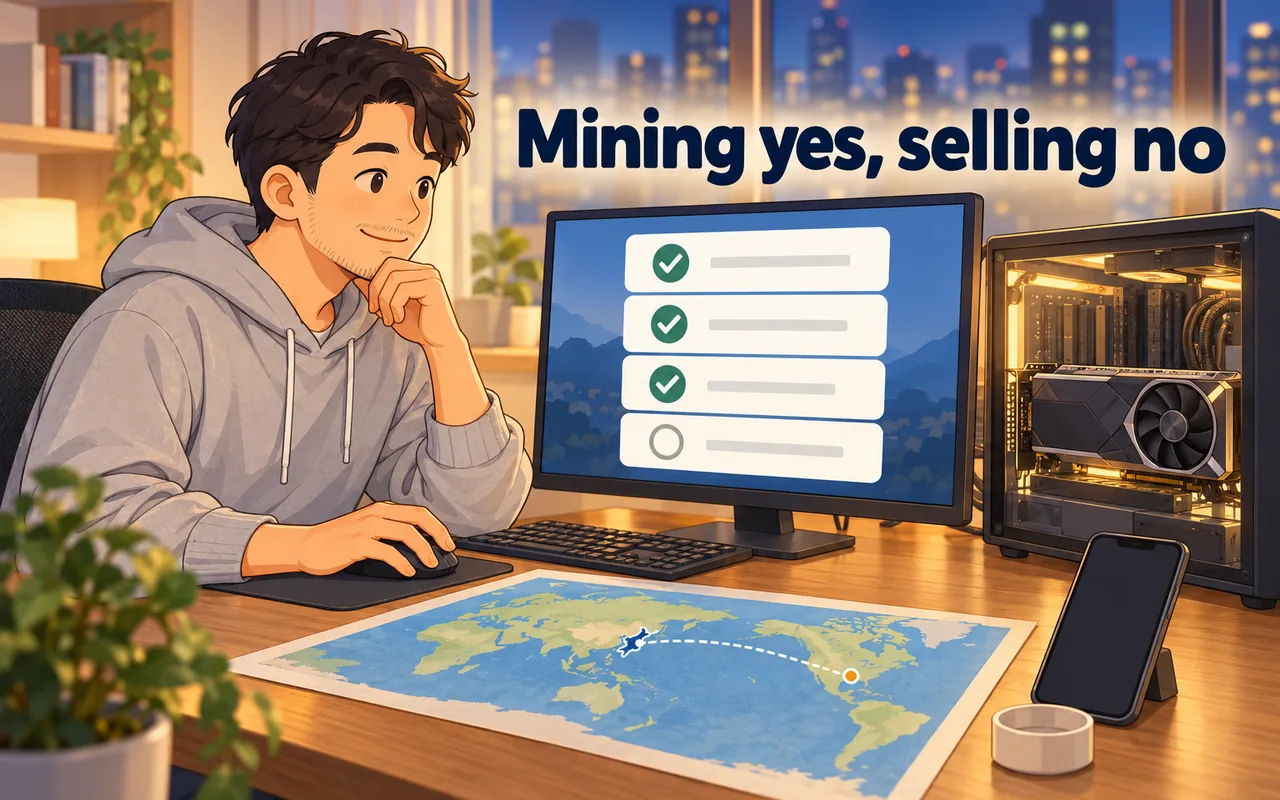
Yes. You can mine SASEUL (SL) from outside Korea with a Windows or Linux computer that has an NVIDIA graphics card. None of the three pools named in the official notice states a country restriction or asks for ID, and you get paid to your own wallet address.
Selling works too. BitMart, the only listing the official notices had announced before, stopped trading on August 26, 2026. Then official notice #85 (October 19) said SL would start trading on Hyperliquid, and official notice #87 (October 24, 2026) said spot trading of SL/USDC had started there. Hyperliquid is a decentralized exchange (one where no company holds your coins). The notice says to use it only in countries where it's allowed, and that it isn't investment advice. To swap between SL on the SASEUL network and SL on Hyperliquid, notice #87 pointed to Lubics (app.lubics.com), which is run separately from the SASEUL team. The steps are in SL on Hyperliquid and Lubics and how to buy and sell SL on Hyperliquid.
SASEUL is a Proof of Work coin that launched in May 2022 with no ICO or presale, according to its CoinMarketCap project description. The basics are in SASEUL basic facts.
What works from abroad? All four steps, with your country's rules to check
Mining and selling both work from abroad, as long as your own country allows them. Here's each piece, checked on October 9, 2026 (the selling row reflects notices #85 of October 19 and #87 of October 24).
| Piece | From outside Korea? | What I found |
|---|---|---|
| Wallet (Guardee) | Works | Web version at guardee.io shows English. App listed in the US App Store and Google Play |
| Mining program | Works | Windows and Linux, NVIDIA cards only |
| Pools (3 in the official notice) | Works | No country limit or ID check stated on any of the three |
| Payouts | Works | Sent to your address, visible on the public explorer |
| Selling | Works, via Hyperliquid (check your country's rules) | BitMart stopped trading. Notice #87 (October 24) says SL/USDC spot trading started on Hyperliquid, and the SL swap goes through Lubics |
Do the pools block other countries or ask for ID? Not that any of them says
None of the three pools states a country restriction, and none asks for sign-up or ID (KYC, identity checks) on its pages. You connect with just a wallet address. The official notice of September 15, 2026 (#84) named these three, and said they have no tie to the official team and it doesn't vouch for them.
| Pool | Country limit | Sign-up / ID | What stood out |
|---|---|---|---|
| saseulmine.com | Not stated | Not stated. You paste your address into the miner | Windows window version, no minimum hashrate stated, 80% to miners |
| saseulpool.com | Not stated | Not stated. Your wallet address is the login | 100 GH/s minimum to join, HiveOS and Linux, servers for Russia/CIS, Europe and Korea/Asia |
| rabbitminer.cc | Not stated | Not stated. Wallet plus worker name in the command | Multi-coin pool, 10% fee, servers in the Netherlands and Finland, 1 SASEUL miner on October 9 |
"Not stated" means just that. A pool could still have rules somewhere I didn't find, and your own country may have rules about mining or crypto. That part is worth checking for yourself.
saseulpool.com's 100 GH/s minimum (GH/s means billions of guesses per second, the usual unit for mining speed) is a lot for one home card. For a card doing about 0.86 GH/s, that's over a hundred cards. So for one home GPU, saseulmine.com is the realistic choice. How pools work is in what is a mining pool.
rabbitminer.cc's miner download link pointed to a bare IP address over plain http, not to the pool's own domain (October 9). That doesn't mean anything bad. It does mean you can't check the file the way saseulmine.com lets you, with a published SHA-256 value.
Can you use the Guardee wallet abroad? Yes, the web version and both app stores
Guardee is SASEUL's wallet, and you can make one from a browser at guardee.io without installing anything. When I opened it with an English browser on October 9, 2026, the front page was in English ("Welcome!", "Start"), and its language menu offered Korean and English.
The phone app is listed in the US App Store (version 3.0.1, language English) and on Google Play's US page with an Install button. The developer's name shows in Korean (아티프렌즈, ArtiFriends) on the App Store page. I checked only the US store pages, so I can't say it's available in every country.
I didn't go through the full wallet creation with the English setting. So I can't promise every screen is translated. Some screenshots in this blog's guides are in Korean, but the button positions are the same.
One thing matters more than language. When you make a wallet, it shows a set of English words, the recovery phrase. Write them on paper. New Guardee wallets use a Guardee-only format, so they won't restore in other wallet apps (official notice #80, June 19, 2026). More in restoring a Guardee wallet.
What computer do you need? NVIDIA on Windows or Linux
You need an NVIDIA graphics card, plus the driver and CUDA (NVIDIA's toolkit that lets the card do calculating jobs). AMD and Intel graphics won't work, and there's no Mac or phone version. saseulmine.com offers a Windows window version, a Windows command-line version and a Linux command-line version.
| Card | CUDA to install |
|---|---|
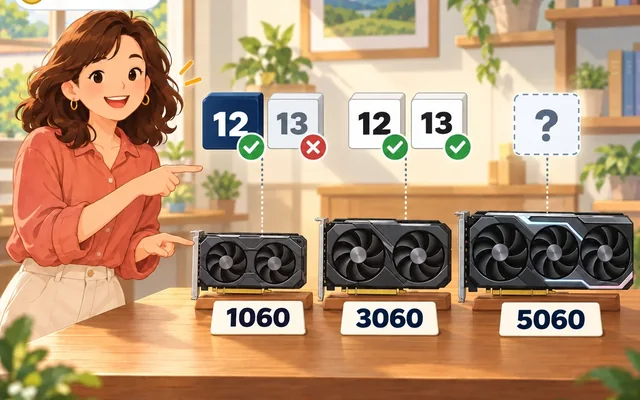
| GTX 10 series | CUDA 12 only. CUDA 13 dropped this generation |
| GTX 16, RTX 20, 30, 40 series | 12 or 13 |
| RTX 50 series | Needs 12.8 or higher per NVIDIA. Whether this miner runs on it isn't confirmed |

The step-by-step is in the SASEUL mining setup post and the mining guide. If you're not sure about your card, see can my PC mine SASEUL.
How do payouts work? Daily, straight to your address
saseulmine.com pays once a day, based on the work the pool accepted from your address. Amounts under the minimum roll into the next payout. Every payout is a transfer on the chain, so you can search your address on explorer.saseul.com and see it yourself.
Nothing goes through a bank, so there's no country step in getting paid. The coins just land on your address.
Keep an eye on the miner, though. In one card's miner log from August 18 to October 9, 2026, it stopped by itself 8 times, each right after the pool stopped answering. It doesn't restart on its own. If you're far from the pool's server, check it once a day.
How do you work out the electricity? Use your own kWh price
Electricity cost is extra watts × hours ÷ 1000 × your price per kWh. Your bill shows the price per kWh, so you don't need anyone else's rates.
Count only the extra power mining adds, not the whole computer. In this blog's one-month record, one graphics card added about 55 W while mining. Run that 24 hours a day for 30 days:
55 × 24 × 30 ÷ 1000 = 39.6 kWh a month
Then multiply by your own rate. At an assumed 0.20 per kWh in your currency, that's 39.6 × 0.20 = 7.92 a month. Your card's number will be different. A plug-in power meter, or the power reading in nvidia-smi, gives you the watts. The full method is in GPU mining electricity cost.
Fans and thermal paste wear out too when a card runs all day. That cost doesn't show on the bill.
Where can you sell SL? BitMart is closed, and SL now trades on Hyperliquid
The only listing the official notices had announced before was BitMart, in May 2025 (#65). BitMart stopped all trading on August 26, 2026, and plans to shut down fully on January 31, 2027 (UTC). On October 19, 2026, official notice #85 said Hyperliquid trading was coming, and on October 24, 2026 official notice #87 said SL/USDC spot trading had started. The notice says the listing is run separately from the SASEUL team, that listings with similar names may exist, and that you should use it only where it's allowed. It isn't an investment recommendation. The details are in the notice summary and what Hyperliquid is.
The step-by-step is in SL on Hyperliquid and Lubics, sending SL to Lubics, how to buy and sell SL on Hyperliquid and getting SL back to SASEUL.
People also trade SL person to person (OTC). The most active place seems to be the Naver Cafe "SASEUL EX" (cafe.naver.com/saseulex), going by the number of board posts and views (checked November 2026). Naver is Korea's biggest web portal, and its "cafes" are online community forums. The cafe used to run an escrow service (a third party holds the money until both sides confirm), but its manager posted on July 24, 2024 that escrow was suspended from July 19, 2024, and it isn't running now. The official team doesn't point to any of these places. More in after BitMart: storing SL and trading person to person. If you had SL on BitMart, see BitMart closure and SL withdrawal.
Person-to-person trades have common risks. Be careful with anyone who:
- Asks you to send first and promises to send coins later
- Contacts you first by DM offering to buy or sell
- Asks for your recovery phrase or private key, for any reason
- Says you need to pay a "fee" to unlock coins
- Offers to "move your SL to Hyperliquid for you" and asks for your keys or a fee. The way notice #87 pointed to is Lubics, where you connect your own wallet yourself. Never hand over your recovery phrase, private key or wallet backup file
I'd check that coins arrived by searching your own address on explorer.saseul.com, not by trusting a screenshot, and I wouldn't believe anyone who says they'll send coins after the hard fork.
More in SASEUL OTC scam warning.
Will language get in the way? Less than you'd think
The official notice channel is in English. Every notice I opened on October 9, 2026, from the 2022 install notes to the September 2026 pool list, was written in English. You can read it without Telegram at t.me/s/saseul_notice.
The pool sites switch languages too. saseulmine.com is in English, saseulpool.com has English and Russian, and rabbitminer.cc has Russian, English and Chinese. For help, each pool has a Telegram group: t.me/saseulmine, t.me/poolSaseul and t.me/RabbitMiner_Pool.
Where Korean does show up: the Korean OTC boards, older news articles, and some screenshots in setup guides. A browser's translate button handles most of that. When you ask for help, send your card name, driver and CUDA versions, and a screenshot of the miner's System tab.
So what should you do? Start small with a card you already own
- Check your card says NVIDIA in Task Manager. If not, stop here
- Make a Guardee wallet at guardee.io and write the recovery words on paper
- Download the miner from saseulmine.com and compare the SHA-256 value
- Install the driver and the right CUDA, then check the System tab
- Paste your address, start at the default 25%, and check your address on the explorer after a day
- Work out your monthly kWh and multiply by your own rate
- Don't buy hardware for this, and don't send money first to anyone offering to trade
If you get stuck, the mining guide goes step by step.
Sources
- Official SASEUL Telegram notice #84 · three mining pools, no affiliation or guarantee · 2026-09-15, checked 2026-10-09
- Official SASEUL Telegram notice #85 · SL on Hyperliquid (spot trading expected within about 72 hours, run separately from the team) · 2026-10-19
- Official SASEUL Telegram notice #87 · SL now trading on Hyperliquid (SL/USDC spot), swaps via Lubics, allowed countries only · 2026-10-24
- Naver cafe SASEUL EX · notice about the escrow service (cafe manager, 2024-07-24, escrow suspended from 2024-07-19) · checked 2026-11-01 from a screen the operator provided
- Official SASEUL Telegram notice channel (web view) · all notices shown in English, checked 2026-10-09
- Official SASEUL Telegram notice #80 · Guardee revamp, Guardee-only recovery phrase · 2026-06-19
- Official SASEUL Telegram notice #65 · BitMart listing · 2025-05-08
- saseulmine.com front page ("UNOFFICIAL COMMUNITY POOL") · checked 2026-10-09
- saseulmine.com download page (Windows and Linux builds, SHA-256, CUDA 12.x or 13.x, 80/10/10 split, "Once a day" payouts) · checked 2026-10-09
- saseulpool.com front page ("Min 100 GH/s to join", EN/RU) · checked 2026-10-09
- saseulpool.com miner page (HiveOS and Linux, wallet as login, Russia/CIS, Europe/Ukraine, Korea/Asia servers) · checked 2026-10-09
- rabbitminer.cc SASEUL page (10% fee, 1 miner) · checked 2026-10-09
- rabbitminer.cc SASEUL connect page (NL and FI servers, wallet.worker command) · checked 2026-10-09
- Guardee web wallet, guardee.io · front page in English with an English browser, language menu Korean/English, checked 2026-10-09
- App Store (US) · Guardee · version 3.0.1, language English, checked 2026-10-09
- Google Play (US) · Guardee · developer ArtiFriends, Install button shown, checked 2026-10-09
- BitMart help center · Important Notice Regarding the Orderly Cessation of BitMart Operations · 2026-07-26, as cited in this blog's BitMart post
- CoinMarketCap · SASEUL project description (no ICO or presale) · checked 2026-09-23, as cited in SASEUL basic facts
- NVIDIA CUDA release notes (Maxwell, Pascal and Volta dropped in 13) and CUDA 12.8 release notes (Blackwell support added) · checked 2026-09-27, as cited in this blog's setup post
- 55 W extra power: this blog's one-month mining record on an older GPU
- Miner auto-stops: SASEUL Miner window version 0.9.2.18 log (miner.log) from one graphics card, 2026-08-18 to 2026-10-09
I hold SL. I opened the official notice channel, the three pool sites, guardee.io and the two US app store pages myself on October 9, 2026. Notices #85 and #87 are from October 19 and October 24, 2026, and the SASEUL EX escrow notice is from July 24, 2024. The 0.20 per kWh rate is an assumption for the example, not a real rate.