Restored Your SASEUL Guardee Wallet but a Different Wallet Showed Up? New Wallet (4,096 Words) vs Old Classic Wallet, and Keeping Your Recovery Phrase Safe
Restored your Guardee wallet and got a different one?
With an old wallet, one wrong word opens a different wallet with no error
Count the words
Old wallet 15, new wallet 16
Check the words
Order, spelling, autocorrect
Compare the address
Same as on the old phone and explorer?

Read the comic as text
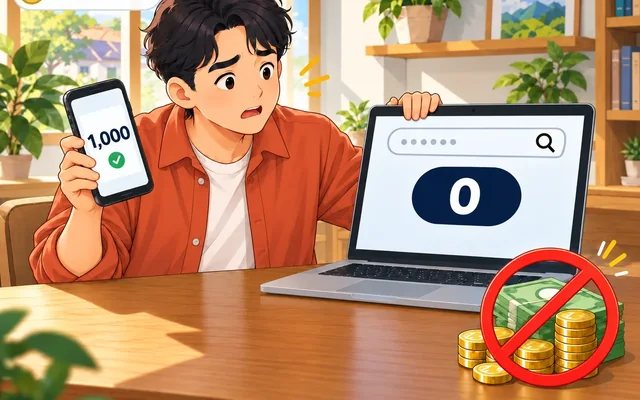
- Mr. Kim: I got a new phone. I entered my recovery words and an empty wallet came up
- Fixer: Did you make that wallet before June 19? Then it's an old (Classic) wallet with 15 words. With old wallets, if even one word is off, an empty wallet opens with no warning.
- Mr. Kim: Isn't classic a kind of music
- Mrs. Park: I tried it too lol. My phone keeps changing the first letter to a capital. And it "fixes" the words however it likes.
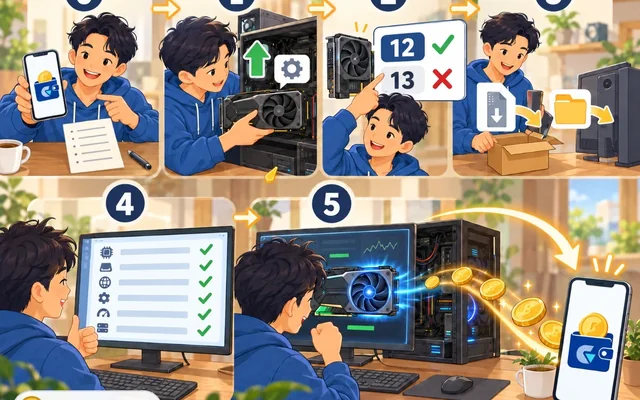
- Fixer: Right, turn off autocorrect, then check one word at a time against the numbers on your paper.
- (30 minutes later)
- Mr. Kim: It worked. All my coins are there
- Fixer: Phew! Write your recovery words on paper and keep it at home. Never take a photo of it or send it in a chat app.
- Mr. Kim: That's why I laminated the paper (photo of the laminated paper)
- The Realist: ...We just said no photos lol
- Mr. Kim: Oops
Most likely the words or their order were slightly different from the originals. The old Classic wallet has nothing that catches a wrong word, so a different, empty wallet opens with no error. Guardee is SASEUL's official wallet app for receiving and sending SASEUL coins (SL).
Since the June 19, 2026 overhaul, there are two kinds of Guardee wallet. The newly added wallet, and the old Classic wallet people used before. A wallet made before June 19 is an old wallet.
A different wallet opening doesn't mean your coins are gone. The record for your original address is still on the record book. You can open it again by entering your original recovery phrase (the set of English words that brings back a wallet) in the original order.
Why does a different wallet show up after I restore?
Because the recovery words you entered differ from the ones you got when the wallet was first made. Recovery words are the set of English words the app shows you when you make the wallet. The app calls it a "seed phrase".
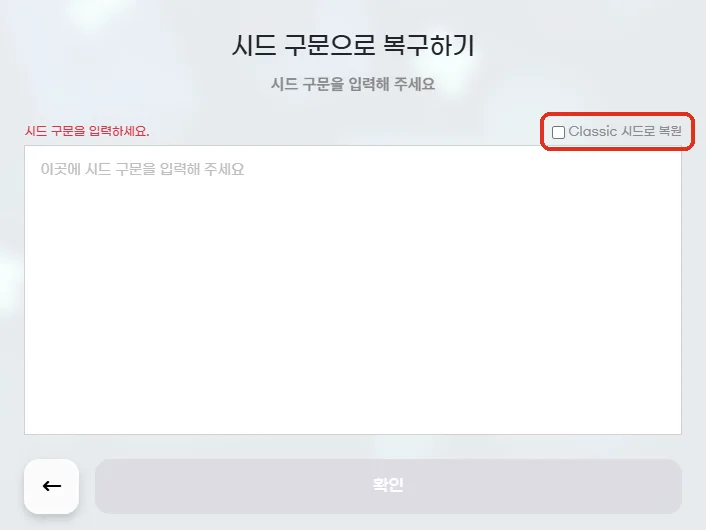
The Guardee web wallet decides the wallet type by how many words you enter. 16 words restore a new wallet, 15 words restore an old Classic wallet. The "Restore with Classic seed" box on the restore screen (on the Korean screen below it reads "Classic 시드로 복원") only changes the hints you see while typing. It doesn't change the result.
The old wallet's word list has 65,536 words, and there's nothing that catches a wrong word. So as long as all 15 words are on the list, even if the order slips or one word turns into a different real word, a different, empty wallet opens with no error. The new wallet's 16 words include a check value, so a wrong order or a wrong word usually gives an error.
A word that isn't on the list, or a word with capital letters in it, gives an error on both old and new wallets ("Invalid" on the English screen). That's because capital and small letters count as different letters.
This is based not on public documents but on the public code of the guardee.io web wallet (3.0.1). The official notices and store descriptions say nothing about word counts or the Classic box.
Whether the phone app works exactly the same couldn't be checked. The web code also has parts for the phone app, so my guess is that it's the same code.
| If this is you | Likely cause | What to try |
|---|---|---|
| Old wallet, and an empty wallet opened with no error | The order slipped by one, or one word turned into another word on the list | Check one word at a time against the numbers on your paper |
| New wallet, and you get an error | A wrong order or word, so the check value doesn't match | Check one word at a time against the numbers on your paper |
| You get an "Invalid" error | A word not on the list, a spelling mistake, or capital letters | Check spelling and capitals letter by letter |
| New wallet, and you get an "Invalid" error | The "Restore with Classic seed" box is ticked. It's only a typing hint, and it goes away when you untick the box | Untick the box and look again |
| You typed on a phone keyboard | Autocorrect, automatic capital first letters or word suggestions changed the letters | Turn off autocorrect and look at what you typed again |
| You don't have 15 or 16 words | A word was left out or added | Count the words on your paper again |
| You entered them in another company's wallet app | Guardee's word lists aren't the standard list | Restore in Guardee |
If the words are right but the wallet still looks empty (if you made several accounts in one wallet)
The code shows one more way an empty-looking wallet can show up even with the right words. On restore, the first account (address) always comes back. From the second one on, it brings back only accounts with coins, one by one, and stops at the first empty one (up to 10 accounts). So if an empty account sits in between, the accounts after it don't come back even if they hold coins. If your coins are only in those later accounts, the wallet can look empty.
This only matters if you made several accounts inside one wallet. It's a guess from reading the code, not something I tested. In this case too, check the original address on the old phone or the explorer first.
How is the new wallet different from the old Classic wallet?
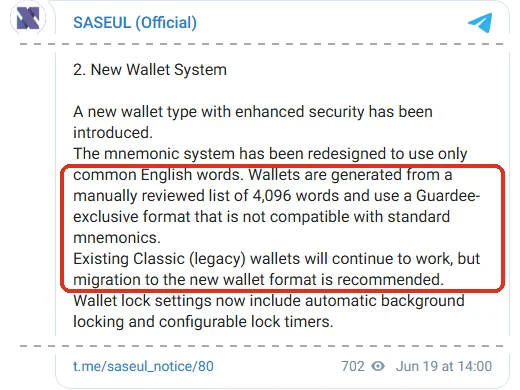
The number of recovery words and the word list are different. The SASEUL team introduced the new wallet in a June 19, 2026 notice.
The new wallet picks its words from a list of 4,096 English words that people reviewed by hand. The notice says this format is only for Guardee and isn't compatible with standard recovery words. The notice doesn't explain the old wallet's words, so the old wallet column below was checked in the web wallet's public code.
| What | New wallet | Old Classic wallet |
|---|---|---|
| Since when | From the June 19, 2026 overhaul (app 3.0.1) | Before that |
| Recovery words | 16 words from a 4,096-word list. Includes a check value that catches wrong words | 15 words from a 65,536-word list. Nothing catches wrong words |
| Can I keep using it? | The new default | Yes. The notice recommends moving to the new wallet |
| In other wallet apps | Doesn't match the standard | Even the list is different from the standard (2,048 words) |
Notice #81, which followed the same day, also says this:
- It fixed a problem where biometric login like fingerprints didn't work on some of the newest phone operating systems
- It ended Bitcoin (BTC) and Ethereum (ETH) support
- The private key and address of old (legacy) wallets can be seen and moved in the settings tab
Whether "old wallets" here means only Bitcoin and Ethereum wallets or also SASEUL Classic wallets isn't clear from the notice alone.
Why 4,096 words don't match the standard 2,048 words (for experts)
BIP39, the recovery word rule widely used in the Bitcoin world, has a 2,048-word list. The rule document says bits are cut into groups of 11 to pick word number 0 to 2047.
The new Guardee list has 4,096 words (2 to the 12th power), so each word holds 12 bits. I checked this in the web wallet's public code (atemonic.js, 3.0.1). Out of the 16 words, one word's worth (12 bits) is a check value (checksum) calculated from the rest.
The old Classic list has 65,536 words (2 to the 16th power), so each word holds 16 bits. All 240 bits of the 15 words are key material, with no checksum. So if one word turns into another word on the list, you just get a different key with no error.
On restore, the wallet type is decided by the word count (16===e.length?"v2":"v1" in setFromSeed). The "Restore with Classic seed" box only makes the typing hints read the words against the old list. Old words are detected as an old wallet even without ticking it. The only help the box gives is pointing to the wrong word better when the first of the old words is wrong.
Since both the size each word holds and the numbers in the list differ from BIP39, standard wallet apps most likely can't read these words. Whether the old app always made 15 words is a guess from the code, since the old app itself can't be looked at anymore.
If I still have my old phone, what should I do first?
Check on the old phone first. If Guardee still opens on the old phone, the wallet address (like an account number) shown there is your original wallet.
- Open Guardee on the old phone and write the wallet address on paper
- The notice says you can see the old wallet's private key and address in the settings tab. If you can see them, write them on paper
- Compare it letter by letter with the address you restored on the new phone
- If they're different, don't delete the app on the old phone, and check the word count and the words again
You can see whether coins are still at the address on the SASEUL explorer, the official site where anyone can see the record book.
Can I bring it back if I only know the app password?
No. The password you enter to open the app is only the lock password for the app on your phone.
Guardee's App Store and Google Play descriptions (Korean store pages) say this password is the "password for the app's lock screen". The real keys to the wallet are the private key and the recovery words. A private key is like your bank password and signature stamp in one.
If you lose both the recovery words and the private key, nobody can bring the wallet back. The same description says "no third party, including the developer, can help with recovery in any way". The FAQ on the official SASEUL website also says there's no way to recover a lost wallet because user information isn't stored.
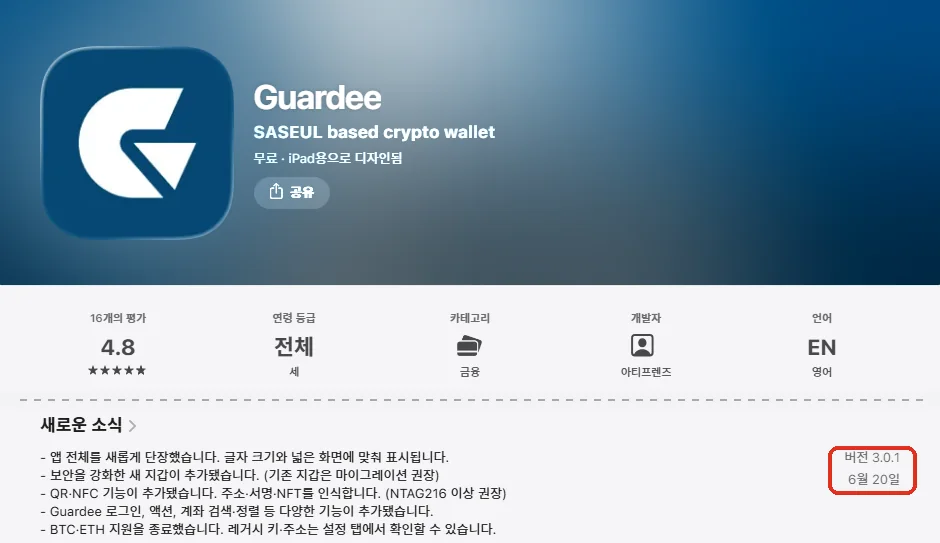
Versions on the app stores (checked September 27, 2026)
| Where | Version | Released | Listed maker |
|---|---|---|---|
| App Store | 3.0.1 | June 19 to 20, 2026 (depends on your time zone) | Developer ArtiFriends, provider ArtiFriends Inc. |
| Google Play | 3.0.1 | June 19, 2026 | ArtiFriends |
Both store descriptions still have an old line saying "the current version supports Ethereum in addition to SASEUL". Meanwhile, What's New on the same page says BTC and ETH support has ended. The descriptions haven't been fully updated.
How should I keep my recovery words?
Writing them by hand on paper is the safest bet. Below are tips wallet apps commonly give.
- Number them and write them in order, then check the spelling letter by letter
- Also write down how many words there are. Old wallets have 15, new wallets have 16
- Old wallets don't catch wrong words. After restoring, always compare the address with the one on the old phone or the explorer
- Write two copies and keep them in different places. That way losing one to fire or water is fine
- Don't keep them as a photo, in a message to yourself in a chat app, in a notes app or in the cloud. If your phone or account gets broken into, they leak too
- Test a restore once. Before putting coins in, restore using only the paper and see if the same address shows up
If coins are already in the wallet, it's safer to test on another device while the old phone still works. If you delete the app on the phone you've been using first, there's nothing to go back to if the paper is wrong.
What if someone asks for my recovery words or private key?
It's a scam. Don't give them to anyone, or to any app.
Guardee's store description says ArtiFriends doesn't keep private keys or recovery phrases and will never ask for them. The guide on the mining pool saseulmine.com also says you only put your address into the mining program, and there's no box for a private key at all (how to set it up).
They often come at you like this:
- They message you first, claiming to be customer support or an admin, and offer to "check your wallet"
- They tell you to enter your recovery words on a "wallet sync" or "claim airdrop" site
- They say they'll help you restore it, so send them the words
If you've seen something like this, let us know through the tip box as "suspected scam". What kind of coin SASEUL is, is covered in SASEUL basic facts.
Sources
- Official SASEUL Telegram notice #80 · Guardee overhaul (new wallet method, old Classic wallet) · 2026-06-19
- Official SASEUL Telegram notice #81 · rest of the Guardee overhaul (biometric fix, end of BTC and ETH support, old keys and addresses in the settings tab) · 2026-06-19
- App Store · Guardee (version 3.0.1, usage cautions in the description) · checked 2026-09-27
- Google Play · Guardee (version 3.0.1, updated 2026-06-19) · checked 2026-09-27
- Guardee web wallet (Restore wallet → Restore with seed phrase screen) · checked 2026-09-27
- Guardee web wallet public code guardee.min.js (the part that picks the wallet type by word count on restore, 3.0.1) · checked 2026-09-27
- Guardee web wallet word list code atemonic.js (old list of 65,536 words, new list of 4,096 words and the check value) · checked 2026-09-27
- Official SASEUL website FAQ ("Can a lost SASEUL wallet be recovered?") · checked 2026-09-27
- saseulmine.com download page (question "Where do I get a SASEUL address?") · checked 2026-09-27
- BIP-0039 rule document · GitHub bitcoin/bips · checked 2026-09-27
The notices were checked in the original Telegram posts, and the app information on both store pages, all opened directly on September 27, 2026. How restoring works comes from reading the guardee.io web wallet's public code (3.0.1) the same day. No recovery words were actually entered to test it. The storage tips are general wallet app advice.