Can My PC Mine SASEUL? Phone, Laptop, CPU, GTX 1060, RTX 3060 and RTX 50 Series at a Glance
Can my computer mine SASEUL?
A Windows or Linux computer with an NVIDIA graphics card will do
NVIDIA graphics card
Not AMD cards or phones
Windows or Linux
No Mac version
CUDA that fits your card
GTX 10 series: version 12 only

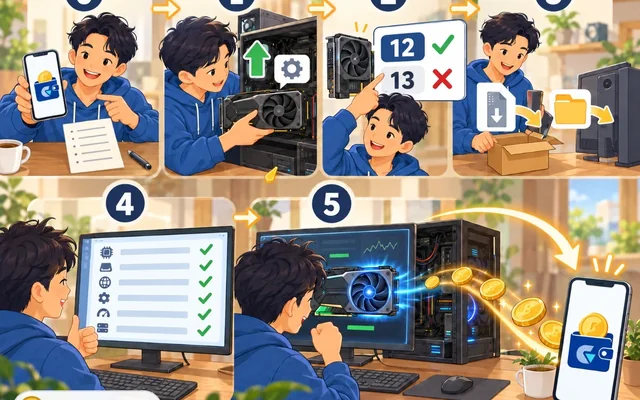
Read the comic as text
- Mrs. Park: Hello. People say you can mine with a computer that's just sitting around. Does a phone work too??
- Fixer: Phones don't work :( Mining is a calculating race. A phone is a bicycle, and you're up against airplanes.
- Mrs. Park: Then what about the old computer in my son's room. The graphics card says 1060?
- Fixer: An NVIDIA 1060 works! But you have to install CUDA 12.
- Mr. Kim: What is CUDA
- (Three days later)
- Mrs. Park: Fixer, I uninstalled the driver and installed it again. But can't I just use the Cup
- Fixer: The cup...? You mean CPU lol. You need to use the graphics card.
- Mrs. Park: (photo of the computer) It works!!!! Mining and heating the room
- The Realist: Oh congrats
- Mr. Kim: Congratulations. But how much will the electricity bill be
- Fixer: Depends on the card, but about one fried chicken delivery a month.
- Mr. Kim: Then let us eat chicken one time less
- Mrs. Park: Chicken's gotten pricier these days :(
- Mr. Kim: Then let us eat it two times less
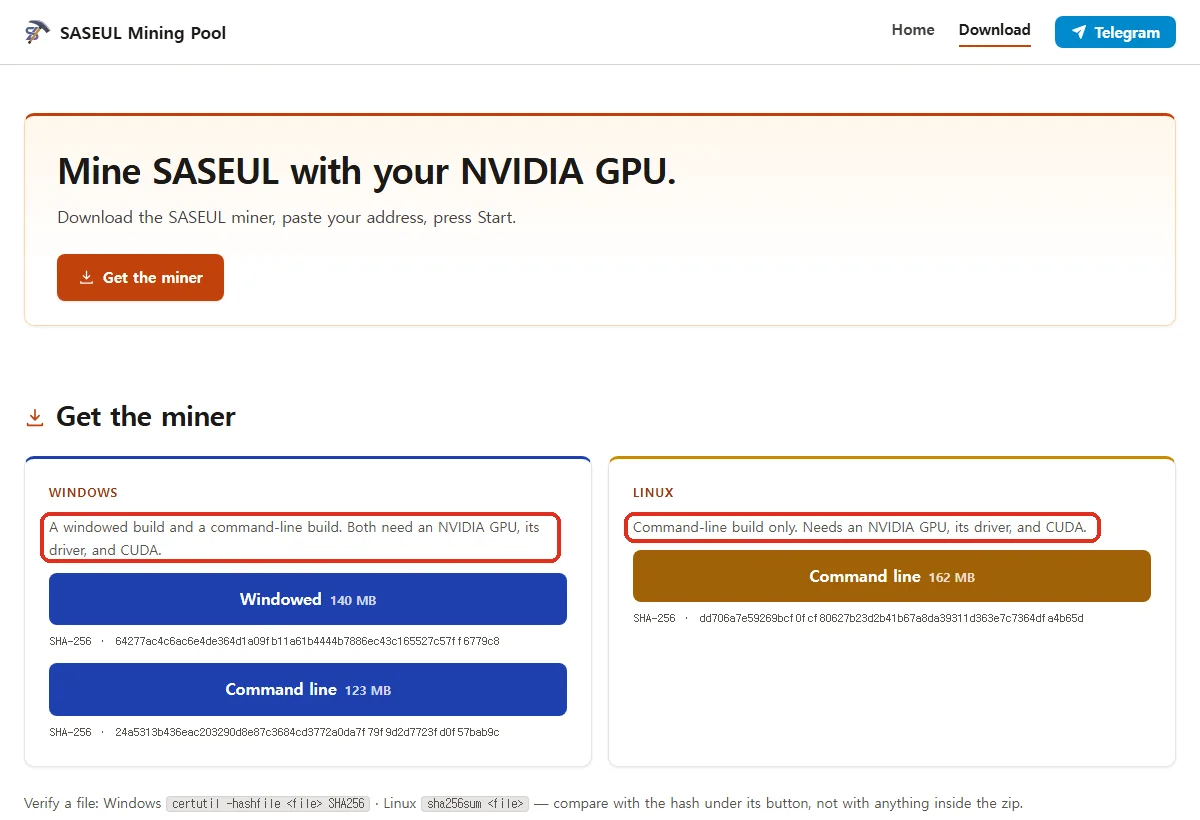
A Windows or Linux computer with an NVIDIA graphics card will do. That's what the download page of saseulmine.com says, a mining pool (a group that mines together and splits the coins) for mining SASEUL coin (SL).
It says both the Windows and Linux versions need an NVIDIA graphics card, its driver, and CUDA (the NVIDIA program that lets a graphics card do calculations). There's no phone version and no Mac version.
Will my hardware work?
Most NVIDIA cards work. The rest either don't, or couldn't be confirmed. Only what was checked on September 27, 2026 is listed here.
| Hardware | Does it work? | Why |
|---|---|---|
| Phone | No | The pool mining program only comes in Windows and Linux versions. No official phone mining app could be found either |
| Mac | No | There's no Mac file |
| Laptop | Unknown | A Windows laptop with NVIDIA graphics meets the same conditions. There's no record of running it on a laptop, so it's unknown |
| Computer with no graphics card (CPU only) | Not for pool mining | The pool mining program uses CUDA, so it needs an NVIDIA graphics card to start. The official node program has a CPU-only version, but how much it earns is unknown |
| AMD or Intel graphics | No | CUDA only runs on NVIDIA cards |
| GTX 10 series (1060, 1070, 1080) | Yes | Install CUDA 12 only. Version 13 dropped support for this generation (Pascal) |
| GTX 16 series, RTX 20, 30 and 40 series (including RTX 3060) | Yes | CUDA 12 or 13 |
| RTX 50 series | Couldn't confirm | NVIDIA's documents suggest CUDA 12.8 or later is needed. Whether it works with the mining program couldn't be confirmed |
| GTX 900 series and older | Couldn't confirm | The mining guide also lists them as unconfirmed |
The RTX 50 series row is an inference from putting two documents together. NVIDIA's card table lists the RTX 50 series as compute capability 12.0. The CUDA 12.8 release notes say support for this generation (SM_120) was newly added.
The driver number that fits your card and the order for installing CUDA are in the mining guide and the CUDA errors post.
How much does it mine a day?
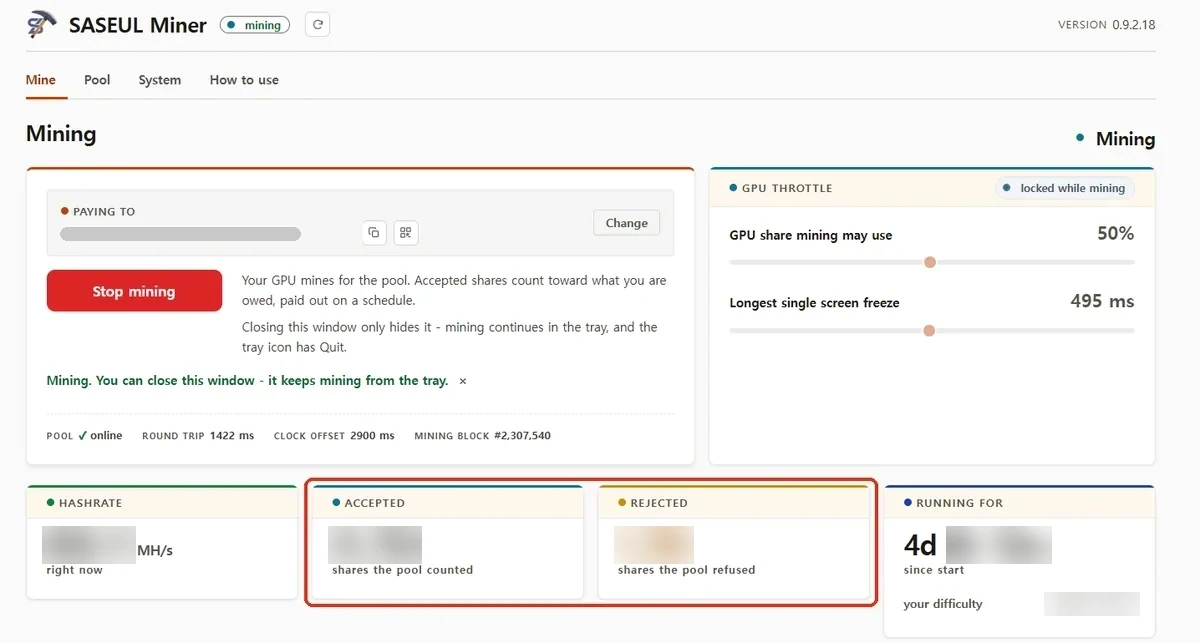
It depends on the card. There's only one public record. A card with a calculating speed of about 860 MH/s, run at 50% usage, got about 39 coins a day (one-month record).
| What | Number | Where from, when |
|---|---|---|
| Calculating speed of the card in the record | About 860 MH/s (more than 800 million a second) | Mining program screen, 2026-09-15 |
| Card usage setting | 50% | Same record |
| Coins received a day | About 39 on average | Coins that came into the wallet, 2026-09-02 to 14 (13 days) |
| Calculating speed of all of SASEUL | About 6.88 TH/s | Pool site front page, 2026-09-27 09:45 (the 6.26 on the official explorer screen is the same value written in units of 1,024) |
| This one card's share | About 0.012% (cut the whole into 10,000 slices and it's a little more than one) | Worked out from the two numbers above |
The 39 is a 13-day record from one pool and one card. Day to day it jumped around, from days with 0 to a day with about 150.
There are no calculating speed records for other cards. A card with twice the calculating speed would probably get about twice as much, but that's only a guess. If you've run it yourself, send the card name, the calculating speed shown in the mining program and the usage (%) through the tip box. Once enough come in, they'll be added to this table.
When the total power mining SASEUL grows, the same card's share shrinks. If the total doubles, the same card gets about half as much. The total calculating speed shown on the pool site was about 6.67 TH/s on September 23 and about 6.88 TH/s on September 27.
The amount newly issued also goes down over time. How much and when is in SASEUL mining rewards.
What about laptops or computers with no graphics card?
A laptop meets the same conditions if it has NVIDIA graphics. But there's no record of running it on a laptop, so whether it works and how much it earns are unknown.
What follows is general advice. Laptops have little room for heat to escape, so running them for a long time makes them hot and the fans spin hard. It's sensible to plug in the power adapter and start at 25% usage, the mining program's default.
The pool mining program doesn't run on a computer with only a CPU and no graphics card. Instead, the official docs say the node (a computer holding a copy of the record book) program has CPU-only versions (lite, arm64).
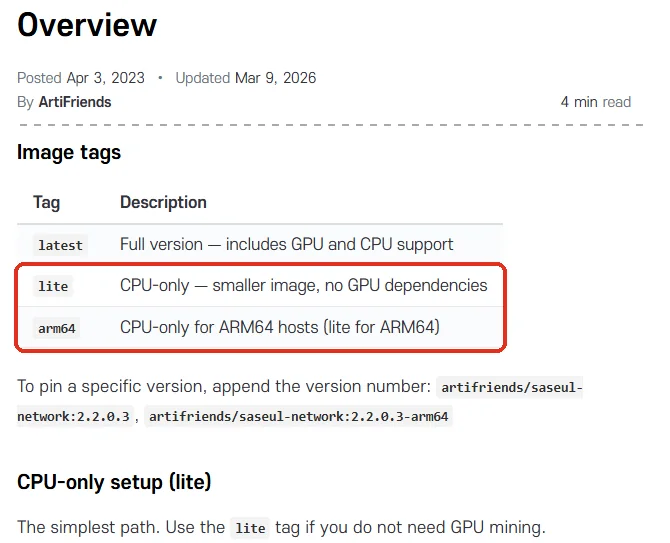
How much this version earns a day if you mine with it is unknown. No record could be found. You'd have to work with Docker (a tool that runs a program as a sealed box) in the black command window, and you'd need a computer you can leave on 24 hours a day.
Node versions in the official docs (for experts)
- latest: the full version, supporting both graphics cards (GPU) and CPU
- lite: CPU only, a small version. The docs say "use lite if you don't need GPU mining"
- arm64: lite for ARM64 CPUs
The command list (Command Line Interface docs) has mining start to turn on mining and a separate mining gpu start to turn on graphics card mining. The listed requirements before starting are setting the server clock, Docker, storage space for the record book data, and port 80.
How do I check my graphics card without the black window?
You can see it in Windows Task Manager.
- Press Ctrl, Shift and Esc together on your keyboard. Task Manager opens
- If the window is small, click "More details" at the bottom
- Click "Performance", then click "GPU" in the list on the left
- The card name appears at the top right. If it starts with "NVIDIA GeForce", it's an NVIDIA card
If you see two GPUs (GPU 0, GPU 1), click both. Laptops often have basic graphics for the screen (Intel or AMD) and a separate NVIDIA card. Once you've found the card name, match it against the table above.
How to check in the black window (Command Prompt)
Click the Start button, type cmd and press Enter. Put the line below into the black window, and it shows the card name and driver number.
nvidia-smi
If nothing comes up, there's no NVIDIA card or the driver isn't installed.
Can I trust apps that say they mine on your phone?
No phone mining app confirmed as official SASEUL could be found. These were checked on September 27, 2026.
| Where | What was found |
|---|---|
| ArtiFriends (the company that made SASEUL) developer page on Google Play | Only one app, the Guardee wallet app |
| ArtiFriends developer page on the App Store | Only one app, Guardee |
| Official SASEUL Telegram notices | Searching for mobile, phone, app and mining turns up no phone mining app |
| Official SASEUL website FAQ | Says you have to run a network node to mine. Gives Docker as an example |
| saseulmine.com download page | Only Windows and Linux files |
Be careful if you see an app using the SASEUL name that says it mines on your phone. A well-known trick is to show coins piling up inside the app, then ask you to put money in first or hand over your wallet's recovery phrase (the set of English words that brings back a wallet) to take them out.
Never put your wallet's recovery phrase or private key (the real key to a wallet; anyone who knows it can move the coins) into any app. Even the mining program only takes the address where you receive coins. If you've seen an app like this, let us know through the tip box as "suspected scam".
If you'd like to give it a try, start with how to set it up. What kind of coin SASEUL is, is covered in SASEUL basic facts.
Sources
- saseulmine.com download page (a user-run pool, not official SASEUL. Windows and Linux versions, default usage 25%) · checked 2026-09-27
- Official SASEUL docs · Node Overview (Updated 2026-03-09, Image tags table) · checked 2026-09-27
- Official SASEUL docs · Command Line Interface (mining commands) · checked 2026-09-27
- NVIDIA CUDA Toolkit release notes (13.4 Update 1) (Maxwell, Pascal and Volta support removed) · checked 2026-09-27
- NVIDIA CUDA 12.8 release notes (Blackwell SM_120 support added) · checked 2026-09-27
- NVIDIA CUDA GPU Compute Capability table (GeForce RTX 50 series = 12.0, RTX 3060 = 8.6) · checked 2026-09-27
- Official SASEUL explorer statistics (shown as about 6.26 TH/s = about 6.88 TH/s in standard units) · checked 2026-09-27 09:23
- saseulmine.com front page (total calculating speed) · checked 2026-09-23, 2026-09-27
- Official SASEUL website FAQ ("What is required to start mining?") · checked 2026-09-27
- Google Play · ArtiFriends developer page · checked 2026-09-27
- App Store · ArtiFriends developer page · checked 2026-09-27
- Official SASEUL Telegram notice channel · checked 2026-09-27
- 39 a day record: 28-day record with one older graphics card
The verdict for each kind of hardware comes from opening the public pages above directly on September 27, 2026. The laptop heat advice is general.