SASEUL SL Starts Trading on Hyperliquid, How Do You Use Lubics?
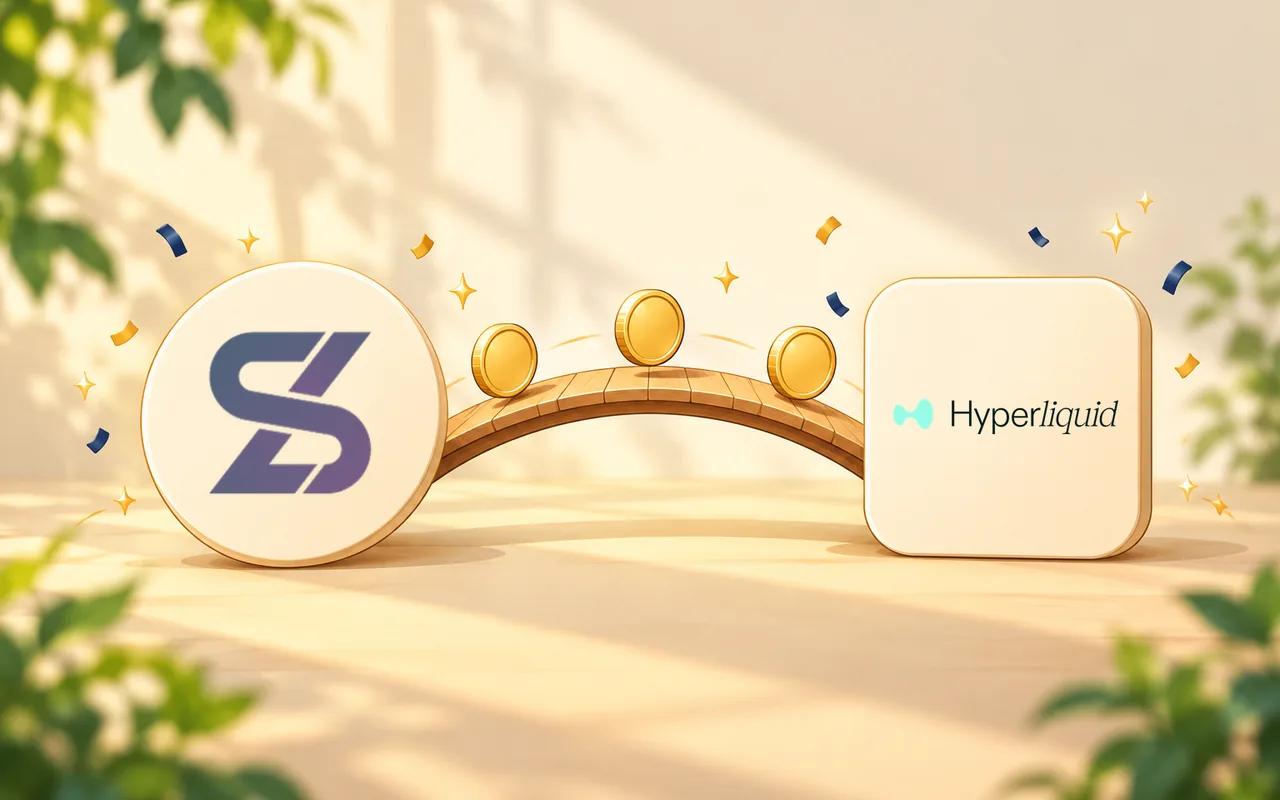
SASEUL SL starts trading on Hyperliquid, how do you use Lubics?
You swap SL on SASEUL for SL on Hyperliquid through Lubics
SL on SASEUL
SL in your SASEUL wallet or at an exchange
Lubics
A service that swaps SL between the two ledgers one for one
SL on Hyperliquid
SL you trade from your Hyperliquid wallet
A notice titled "SL Now Available on Hyperliquid" has appeared on SASEUL's official Telegram notice channel. It was posted on October 24, 2026 at 8:47 a.m. (Korea time). The news is that SL can now be traded spot on Hyperliquid, a decentralized exchange where you connect your own wallet. The way to take SL from the SASEUL ledger to Hyperliquid is a swap service called Lubics, and the notice says this listing is operated separately from the SASEUL team.
What does the notice say? SL spot trading on Hyperliquid has started
On October 19, notice #85 said trading was expected to start within about 72 hours, and on October 22 it added that final testing was taking a little longer. Notice #87 is the one saying trading has now started. Here is what it says.
- SL can be traded spot on Hyperliquid. The trading page is app.hyperliquid.xyz/trade/SL/USDC. USDC at the end is the dollar-value coin that SL is paired with when you buy and sell
- SL can be swapped through Lubics (app.lubics.com)
- For questions about using Lubics, it says to contact Lubics through its official Telegram (t.me/lubics_official)
- It asks you to check the listing details carefully, because listings with similar names may exist
- It is meant only for users in places where decentralized exchanges and digital assets are allowed. Laws differ by country, and the terms of use of Hyperliquid and Lubics also apply
On October 24, I also confirmed that Hyperliquid's spot list has a trading line pairing SL (formal name SASEUL) with USDC. For what Hyperliquid is and how it differs from BitMart, see the earlier post.

What is Lubics? A service that swaps SL on SASEUL and SL on Hyperliquid one for one
SL is the coin that comes out of mining on the SASEUL ledger. Hyperliquid is a different ledger, so the SL traded on Hyperliquid exists separately from the SL on the SASEUL ledger. You need a bridge between the two, and the bridge the notice points to is Lubics. In this post I call the two "SL on SASEUL" and "SL on Hyperliquid."
Lubics's FAQ describes it like this.
- It swaps SL on SASEUL and SL on Hyperliquid one for one. The fee comes out of the amount you send
- It says it is run on a non-profit basis
- You don't connect a SASEUL wallet. On the SASEUL side you only send and receive SL. What you connect is a browser wallet such as MetaMask, and your SL on Hyperliquid arrives in that wallet

How SL travels through Lubics
SL on SASEUL
A SASEUL wallet (such as Guardee) or an exchange
Lubics
Swaps the same amount, minus the fee
SL on Hyperliquid
The browser wallet you connected
How do you use it? The big steps for sending and getting it back
This is the rough order, based on Lubics's help pages. Each screen is in the follow-along guides: sending SL to Lubics and getting it back to SASEUL.
Here is how to send SL from SASEUL to Hyperliquid.
- On app.lubics.com, connect a browser wallet (such as MetaMask). The wallet asks you to sign a login message, "Sign in to Lubics"
- Tick the safety checklist items on the screen
- When your account's own SASEUL deposit address appears, copy it. The address stays the same
- From a SASEUL wallet (such as Guardee) or an exchange, send only SL to that address
- Once it's recorded in a SASEUL main block, it shows up in the Lubics History within about a minute, and the same amount of SL minus the fee arrives in your Hyperliquid wallet.
Here is how to get SL back from Hyperliquid to SASEUL.
- Connect the same browser wallet
- Enter the amount and the SASEUL address that should receive the SL (your own wallet, or your SL deposit address at an exchange)
- Tick the safety checklist, press Withdraw, and sign
- The first time you send to a new withdrawal address, Hyperliquid charges 1 USDC. SL tied up in open orders can't be sent
I left the fee and minimum amount out of this post because the numbers can change. Lubics shows them on screen before you send.
The buying and selling part then follows. You connect a wallet on Hyperliquid, put in USDC, and place an order on the SL/USDC page. I'll cover that, and the Lubics screens, in more detail in the five posts below, one step at a time. The posts that follow go in this order:
- Creating a MetaMask wallet
- Connecting to Lubics and sending SL from a Guardee wallet
- Connecting to Hyperliquid and depositing USDC (only if you want to buy SL)
- Buying and selling SL on Hyperliquid
- Getting SL back to SASEUL and withdrawing USDC
What should you watch out for? One more check before you send
Here is what stood out in Lubics's risk notice and official channels page, gathered in one place.
- Amount: if you send less than the minimum, or no more than the fee, you lose all of it and can't get it back.
- What you send: send only SL on SASEUL. Other coins and other networks aren't swapped automatically
- Address: compare the whole SASEUL receiving address, not just the last few characters. One different character makes it a different address
- While swapping: the SL you send sits at an address the operator controls until the swap finishes. Lubics says there is no insurance or compensation scheme, that some transfers are reviewed by the operator before they're sent, and that it can pause the service
- Contact: Lubics never messages you first and never asks for a private key, recovery phrase, or password. Its only official channel is one Telegram channel. If someone contacts you first in Lubics's name, that isn't Lubics
So what do you do? Read the official notice, and it's fine to follow the 5-post series below
- Read notice #87 yourself. Use only the trading page address written in the notice
- First check whether you're in a place where you're allowed to use these services, and what the Hyperliquid and Lubics terms say. For the situation in Korea, see the Hyperliquid explainer
- Write your recovery phrase on paper and don't type it into any screen except when you create or restore a wallet (how to store a recovery phrase)
This post is general information, not investment or legal advice. It doesn't cover prices or any outlook.
Sources
- Official SASEUL Telegram notice #87 · SL Now Available on Hyperliquid · posted 2026-10-24 08:47 (Korea time), full text, checked 2026-10-24
- Official SASEUL Telegram notice #85 · SL on Hyperliquid · posted 2026-10-19, the notice of trading expected within about 72 hours and the October 22 update, checked 2026-10-24
- Hyperliquid · SL/USDC spot trading page · the SL (SASEUL)/USDC line on the spot list, checked 2026-10-24
- Lubics · FAQ · one-for-one swap service, wallet connection, deposit address, 1 USDC for the first transfer to a new withdrawal address, non-profit operation, checked 2026-10-24
- Lubics · Fees and limits · fee and minimum shown before you send, sending below the minimum loses the whole amount, some transfers reviewed, checked 2026-10-24
- Lubics · Risks · funds held at operator-controlled addresses, no insurance, pauses, address checks, checked 2026-10-24
- Lubics · Official channels and security · one official Telegram channel, never messages first, never asks for secrets, checked 2026-10-24
I hold SL. I checked the official SASEUL Telegram notices and Lubics's official pages myself on October 24, 2026.