SASEUL miner flagged by antivirus? Check it's the real file with SHA-256 before you delete or allow it
SASEUL miner flagged by antivirus?
Before you delete or allow it, check that the file's fingerprint matches the value on the download page
Antivirus or warning
Caught because it's a miner
Compare fingerprint
With the SHA-256 on the download page
If it matches
Allowing it is your call
If it doesn't
Don't use it, download again
It's common for the SASEUL miner (miner.exe) to get caught by antivirus software. The pool site explains that antivirus tools filter out mining programs as a whole. In other words, they didn't find something inside this particular file.
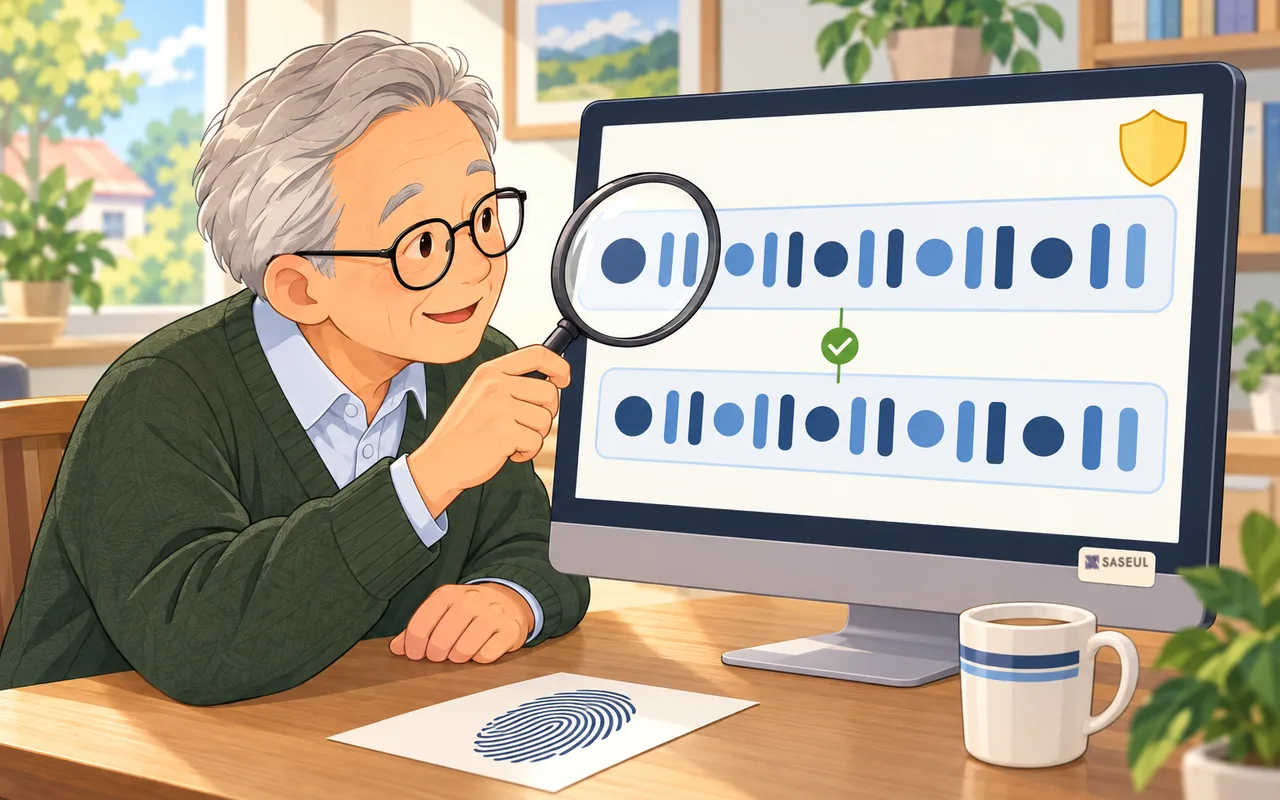
Still, don't let it through right away. First check whether the file fingerprint (SHA-256, a long string that's different for every file) of the file you downloaded matches the value written on the download page. If it matches, what comes next is your decision. If it doesn't, don't use that file.
Antivirus catches miners because of the category "mining", not because of this file
The pool site's question list (checked October 9, 2026) has a separate entry for this: when you see "unknown publisher" or your antivirus removed the file. The answer is that antivirus tools flag all mining software. The original wording is "a judgement about miners, not a detection of something in this file."
Microsoft's official docs list a similar category. One of the kinds of potentially unwanted applications (PUA) is "Cryptomining software", meaning programs that use your device's power to mine coins.
But that item has "Enterprise only" next to it. So it doesn't mean the built-in Windows antivirus on a home PC will always catch it. I couldn't confirm what rules other antivirus vendors use.
The blue "Windows protected your PC" box is a "never seen this program" warning, not a virus verdict
When you first open miner.exe, a blue box saying "Windows protected your PC" may appear. This box comes from SmartScreen (a Windows feature that checks a program's reputation), which is separate from antivirus.

According to Microsoft, SmartScreen compares downloaded files against a list of "commonly downloaded" files. If a file isn't on the list, it shows a warning to be careful. Another Microsoft doc (on how it identifies malware) also says the unknown-program warning isn't a block. You can run the program if you want to.

"Unknown publisher" means Windows couldn't confirm who made it. It's not a verdict that it's dangerous. So even when this box appears, it's a good idea to do the fingerprint check below first.
One line tells you whether it's the real file
You pull the fingerprint of the downloaded file on your own computer and compare it with the value right under the download button on the pool site. You can do this with certutil (a certificate and file tool) that comes with Windows. Microsoft's docs describe -hashfile as generating and displaying a cryptographic hash of a file.

- Open File Explorer (the yellow folder icon) and click “Downloads” on the left
- Click once in the address bar at the top of the window, type
cmd, and press Enter. A black window opens - Paste the line below into the black window and press Enter. Change the file name to match the file you downloaded
certutil -hashfile saseul-miner-gui-win64-v0.9.2.18.zip SHA256
- Compare the 64 characters it prints with the value under the Windowed button on the pool site, one character at a time
The v0.9.2.18 Windowed value I saw on October 9, 2026 was 64277ac4c6ac6e4de364d1a09fb11a61b4444b7886ec43c165527c57ff6779c8. The value changes when the version changes, so compare against the site as it looks that day.
Compare with the value on the download page, not with anything inside the zip
The pool site says the same thing twice, in the download section and in the question list. The download section reads: "compare with the hash under its button, not with anything inside the zip."
The site doesn't say why. My guess is this. If someone swapped the file, they could change the value inside the zip too. Then the two would match and you wouldn't have checked anything.
A match isn't a safety guarantee, and if it doesn't match, don't use it
A match only means "my file is exactly the file the site posted." The fingerprint doesn't tell you whether that file is safe. The pool site itself says it's an unofficial service not affiliated with the SASEUL project.
If even one character is different, the file was damaged while downloading or it's a different file. Delete it and download again from saseulmine.com.
Add an exclusion folder only if the fingerprint matches, and only if you decide to
The pool site says that if you still want to use it, restore the file and exclude that folder. Microsoft's help pages also explain how. An excluded folder isn't scanned in real time. The help page warns that this can leave your device and data more vulnerable.
How to restore and exclude in Windows Security (per Microsoft's help pages)
- Restore: In Windows Security → “Protection history”, open the quarantined item and choose “Restore”. According to the help page, Defender may catch it as a threat again after restoring. Choose “Allow on device” only if you're sure it's safe. The help page says it's better to leave it in quarantine if you're not sure
- Exclude: Windows Security → “Virus & threat protection” → under “Virus & threat protection settings”, “Add or remove exclusions” → choose “Folder” and add only the miner's folder. Don't pick something wide like your whole Downloads folder or the C drive
- When you stop: In the same “Add or remove exclusions”, select the folder and click “Remove”
- The help page says exclusions apply only to Defender's real-time scanning. For other antivirus software, check that program's own settings
So what should you do? Compare the fingerprint first, then decide whether to allow it
- If your antivirus deleted it, don't restore it right away. Download the file fresh from saseulmine.com and compare the fingerprint first
- If the value is different, delete that file and download again. Don't use a miner you got from anywhere else
- If the value matches, open it with “More info” → “Run anyway” in the blue box. In my setup screen records, it ran without turning off Windows Security
- If the antivirus keeps deleting it anyway, decide for yourself whether to exclude just the miner's folder. Don't switch off your antivirus entirely
The full setup steps are in the Windows setup screens post, and checks for each place you might get stuck are in the mining guide. What kind of coin SASEUL is, see the SASEUL basics page.
Sources
- SASEUL Mining Pool · Download · Questions (answers to "unknown publisher, or my antivirus removed it" and "How do I check my download is genuine?", Windowed 140MB SHA-256, the note to compare with the value under the button, the note that it's an unofficial service, miner v0.9.2.18) · checked 2026-10-09
- Microsoft Learn · How Microsoft identifies malware and potentially unwanted applications (Unknown program warnings aren't blocks, PUA category "Cryptomining software (Enterprise only)") · page updated 2026-09-11, checked 2026-10-09
- Microsoft Learn · Microsoft Defender SmartScreen (warns if not on the commonly downloaded list, shows higher risk when there's no reputation) · page updated 2026-04-23, checked 2026-10-09
- Microsoft Support · Virus and threat protection in the Windows Security app (add or remove exclusions, folder exclusions, warning that exclusions can leave you vulnerable, applies only to real-time scanning) · Korean version, checked 2026-10-09
- Microsoft Support · Protection history in the Windows Security app (removing and restoring quarantined threats, warning that quarantine is better if you're not sure) · Korean version, checked 2026-10-09
- Microsoft Learn · certutil (-hashfile: generates and displays a cryptographic hash of a file) · page updated 2025-05-01, checked 2026-10-09
I hold SL. I opened the pool site's notes and SHA-256 value and Microsoft's help pages myself on October 9, 2026. The screenshots were taken during setup on October 3, 2026.