What Happens to the Electric Bill If You Mine SASEUL on Idle PC Bang Seats?

How much more power does mining SASEUL on idle PC bang seats use?
Run it alongside a PC that's on anyway, and the new power is just the graphics card's share
Idle seat PC
Join a pool when no customer is on it
Receive SL
September record, about 39 a day per card
Extra power
If the PC is on anyway, the card's share, about 55 W
Measure your own cost
Outlet meter for 2 weeks × your rate
Run a SASEUL pool (a group that mines together and splits the reward) on the idle seats of a PC bang (Korea's pay-by-the-hour gaming cafés) and you will get SL. So how much more electricity does it use? The answer depends a lot on whether the PC was already on.
Instead of saying how much it costs, this post explains how to measure the electricity cost in your own shop. The measuring steps are at the bottom.
Only count the "newly added electricity" for the cost of mining
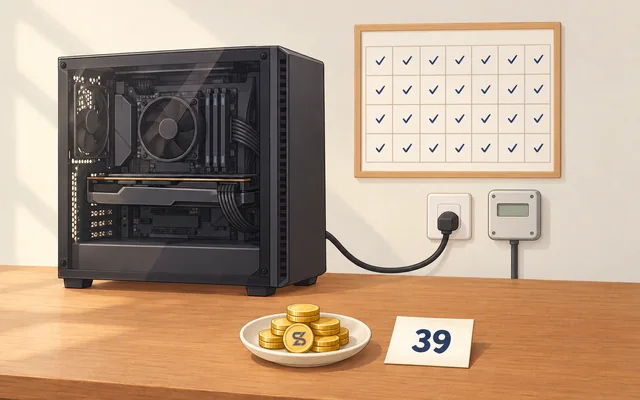
If you run mining alongside a PC that's already on, the new electricity is the extra the graphics card uses. In this blog's 28-day record, one graphics card added about 55 W (watts) while mining. That's the added amount, not what the whole computer uses.
On the other hand, if you turn on a seat you used to switch off when no customers were there, just to mine, the whole computer's electricity is added. There's no record for that case, so you need to measure it.
So for a PC bang, it helps to first sort your seats into those that stay on even with no customers and those that get switched off.
PC bang power in Korea is usually "general service," so you multiply by a seasonal rate with no tiers
Korea Electric Power Corporation's (KEPCO) standard supply terms apply "general service" power to places that aren't homes, schools, industry, farming, street lights and so on. Shops like PC bangs usually fall here. Contracts differ by shop. Check the contract type (the rate category by how you use power) on your bill first.
With a contract capacity under 300 kW it's General Service (A). In KEPCO's rate table, the per-kWh price for General Service (A) I, low voltage, is:
| Months | Price per kWh (energy charge) |
|---|---|
| Spring and fall (Mar to May, Sep to Oct) | 91.9 KRW |
| Winter (Nov to Feb) | 119.0 KRW |
| Summer (Jun to Aug) | 132.4 KRW |
These values have applied since November 9, 2023, and I checked them on the rate table page on October 4, 2026. Unlike home rates, the price doesn't climb as you use more. Shops on high voltage or on time-of-use rates, General Service (A) II, pay different rates.
The basic charge is added per kW of contract capacity (6,160 KRW on low voltage). It varies by shop contract, so I left it out of the calculation below.
Your electricity cost is "extra watts × hours × rate"
The formula is the same as in my electricity cost post. Extra power (W) × hours on × 30 days ÷ 1000 = a month's energy (kWh). Multiply by the rate.
Taking the record's 55 W as the extra power and assuming 12 hours a day, one seat comes to 19.8 kWh a month. Multiplying by the number of seats gives this:
| Idle seats (assuming 12 hours a day) | Extra energy per month | Spring/fall | Winter | Summer |
|---|---|---|---|---|
| 1 seat | 19.8 kWh | about 1,800 KRW | about 2,400 KRW | about 2,600 KRW |
| 10 seats | 198 kWh | about 18,200 KRW | about 23,600 KRW | about 26,200 KRW |
| 30 seats | 594 kWh | about 54,600 KRW | about 70,700 KRW | about 78,600 KRW |
Twelve hours a day is an assumption. There's no record of running several cards for real. These numbers assume hours and seat counts scale exactly in proportion. If your PC bang's cards compute at a different speed from the record card (about 860 MH/s, or 860 million calculations a second), both the power and the payout will differ.
Your bill also adds climate and environment charges, fuel cost adjustment, VAT and the electric power fund, so the real amount comes out a bit above these numbers.
What you receive depends on that day's difficulty
In the 28-day record, September 2 to 14, with the card's use fixed at 50%, came to about 39 a day. There were three days when nothing came in.
What you receive depends on difficulty (how many tries it takes on average to find one page of the ledger). The September 2 to 14 average was about 13.7 trillion calculations a second across the whole network. At 7:23 p.m. on October 4, 2026, it was about 5.82 trillion a second, the latest difficulty on the official explorer's statistics screen, 349,148,755,554,625, divided by 60. It looks like difficulty and the network's total speed came down and some of the people who were mining left.
So rather than multiplying the September numbers as they are, it's safer to use the count you actually receive on one seat. What you get when you turn SL into money differs by place and by day, so I haven't calculated it separately.
BitMart trading has been stopped since August 26, 2026. On October 19, 2026, official Telegram notice 85 said SL spot trading on Hyperliquid is expected (notice post). For person-to-person trades, it's good to check the other party and start with a small amount.
When a customer sits down, you have to stop mining or turn the share down
The miner starts by using only 25% of the graphics card and yields often (per the pool site's guide). You change the share with the GPU share bar on the Mine tab. While mining, the bar is locked, so press "Stop mining" first and then move it. The screens are in the Windows install post.
I found no feature in the pool site's guide that stops mining automatically when a customer sits down. So someone has to switch it off and on seat by seat. There's also no record of mining while gaming, so I don't know whether customers' games would slow down.
The catches are heat, noise, card wear, your shop contract, antivirus and tax
Heat and noise come first. In the 28-day record the card's temperature was 44 to 50 degrees before mining and 55 to 60 degrees while mining. With many seats running together, the shop gets hotter, and I'd guess cooling uses more electricity. Running 24 hours wears the fans and the thermal paste (the heat-moving material), and the card's used value drops too.
Check your shop contract as well. A franchise contract or the PC bang management program's terms may say not to install unapproved programs. If your shop uses a restore function that resets the PC to its original state on reboot, the miner may be wiped each time.
Antivirus gets in the way too. The pool site's question list has a separate "my antivirus removed it" question. If you set a folder as an exception, the antivirus doesn't scan it. On a PC customers use, that weakens security.
On tax, I opened the National Tax Service's virtual asset income guidance. It says that from trades after January 1, 2027, exchanges will submit trade data. I didn't find in that guidance how to report coins received from mining. If you plan to mine steadily in a business, ask a tax professional first.
So what should you do? Measure one seat for two weeks, and expand only if it looks fine
It's better not to do it in shops like these.
- Shops that use a restore function that resets the PC on reboot
- Shops whose franchise contract or management program terms block installing other programs
- Shops that would rather not create an antivirus exception folder on customer PCs
- Shops where cooling is already stretched in summer
If you still want to try, measure like this.
- Check the contract type and this month's per-kWh rate on your bill
- Install the miner on just one seat that customers rarely use. Follow the Windows install post
- Plug in an outlet meter and run it for two weeks. For a seat that's on anyway, write down the difference between mining off and on separately. For a seat that used to be off, it's the increase in the whole computer's electricity
- After two weeks, write down the meter's kWh × rate = electricity cost, and the number of SL that came into your wallet
- Electricity cost ÷ number of coins = the electricity cost of mining one SL. If you plan to sell the SL, compare it with the price you could sell at that day
If customers' games aren't affected and the extra electricity isn't a burden, it may be worth adding seats. Even then, think about card wear and tax separately. What you receive depends on the latest difficulty on the official explorer statistics screen, so check that day's difficulty before expanding.
What kind of coin SASEUL is: see the SASEUL basic facts page. How difficulty connects to what you receive: see difficulty explained.
Sources
- BitMart Help Center · Important Notice Regarding the Orderly Cessation of BitMart Operations (all trading stops 2026-08-26 01:00 UTC) · posted 2026-07-26, checked 2026-10-04
- Official SASEUL Telegram notice 85 · SL on Hyperliquid (spot trading on Hyperliquid expected within about 72 hours) · posted 2026-10-19 19:04 (Korea time), checked 2026-10-19
- KEPCO standard supply terms, Chapter 7 contract types (Article 57 general service power: customers other than residential, educational, industrial, agricultural, street lights, standby and temporary; General Service (A) is contract capacity of 4 kW to under 300 kW) · checked 2026-10-04
- KEPCO rate table, General Service Power (A) I (applied from November 9, 2023, low-voltage basic charge 6,160 KRW/kW, per kWh summer 132.4, spring/fall 91.9, winter 119.0 KRW) · checked 2026-10-04
- Electricity cost calculation (the formula, charges added to the bill) · this blog, 2026-09-23
- 28-day mining record on one graphics card (extra power about 55 W, about 39 a day on Sep 2 to 14 with three zero days, temperatures, Sep 2 to 14 average about 13.7 TH/s and calculated value about 62 coins) · this blog, 2026-09-16
- Official SASEUL explorer · Statistics (Latest Difficulty 349,148,755,554,625, screen shows 317.55 T ~5.29 TH/s) · checked 2026-10-04 19:23
- saseulmine.com front page (NETWORK ≈ 5.82 TH/s, notes it's an unofficial community pool unrelated to the SASEUL project) · checked 2026-10-04 19:23
- saseulmine.com · Download · Set it up · Questions (25% use at first and yields often, GPU share bar, "my antivirus removed it" question) · checked 2026-10-04
- Windows install post (GPU share bar is locked while mining, antivirus exception folder guide) · this blog, 2026-10-04
- National Tax Service · Virtual asset operators' trade data submission (trade statements submitted for trades from January 1, 2027, no mining guidance) · checked 2026-10-04
This post works through how to calculate and isn't investment advice. I hold SL. I opened the electricity rates, terms, BitMart notice, explorer difficulty and National Tax Service guidance myself on October 4, 2026, and the Hyperliquid notice on October 19, 2026. The payout and 55 W come from this blog's 28-day record.