How to Read the SASEUL Official Explorer's Home Screen (Just Six Numbers)

Where do I start on the SASEUL explorer's home screen?
The six numbers at the top tell you the state of the ledger
1 Two ledgers
Main blocks · Resource blocks
2 Transactions
How many are recorded
3 Nodes
Mining / total
4 Difficulty · Interval
How hard it is to mine, and the time between blocks
The SASEUL official explorer makes sense once you know the six boxes at the top of the home screen. They show how many pages each of the two ledgers has, how many transactions there are, how many computers are running, how hard mining is, and how many minutes pass between blocks. The explorer is a site that lets anyone look at the ledger.
I'll explain it with the numbers I read when I opened explorer.saseul.com at 5:30 a.m. on November 5, 2026.
The six boxes are ledger pages, transactions, computers, difficulty and interval
| Box name | Number that day | What it means |
|---|---|---|
| Main Blocks | 4,591,818 | How many pages of the transaction ledger have been stacked up |
| Resource Blocks | 2,374,733 | How many pages of the mining ledger have been stacked up |
| Transactions | 11,052,887 | Transactions recorded so far |
| Nodes | 49 / 68 | Computers (nodes) that hold the ledger |
| Difficulty | 647T | How hard it is to mine |
| Resource Interval | 5' 42" | Time between pages of the mining ledger |
Why there are two ledgers is covered in the two-ledger post. The one that records transactions is Main, and the one that records mining is Resource.
In "49 / 68," the first number is how many are mining and the second is the total number of nodes. This number can change within minutes. What a node is, is explained in the glossary.
The transaction ledger adds a page every few seconds, the mining ledger every few minutes
Two lists sit side by side in the middle of the home screen. The left one is Latest Main Blocks and the right one is Latest Resource Blocks.
Main blocks are fast. That day, the latest 10 pages were 2 to 51 seconds apart, and most held just one transaction.
Resource blocks are slower. The latest 10 pages were 50 seconds to 15 minutes apart, quite uneven. I averaged the displayed values myself and got about 5 minutes 47 seconds, close to the 5' 42" in the table above. The target interval is written as 60 seconds in the CoinMarketCap description (two-ledger post). I can't tell from the screen alone why today's value is longer than the target.
Each resource block row shows a Miner (the address that mined that page). It's a long string of letters and digits, not a name, so you can't tell who it is from the address alone.
The difficulty number matches the pool site once you know the unit
On the Statistics screen, Difficulty shows as "647.83 T ~10.80 TH/s." On the same day, the pool site (saseulmine.com) showed the network as "≈ 11.87 TH/s."
The difference is just the unit. The explorer's T is a unit that multiplies 1,024 by itself four times, so multiplying 10.80 by about 1.0995 gives 11.87 in ordinary units. Both sites are showing the same value (see the difficulty post if you need it).
Other boxes worth a look on the Statistics screen
The same day, the Statistics screen also had these:
- Total Supply 3,518,053,121: the amount of SL shown as having come out so far
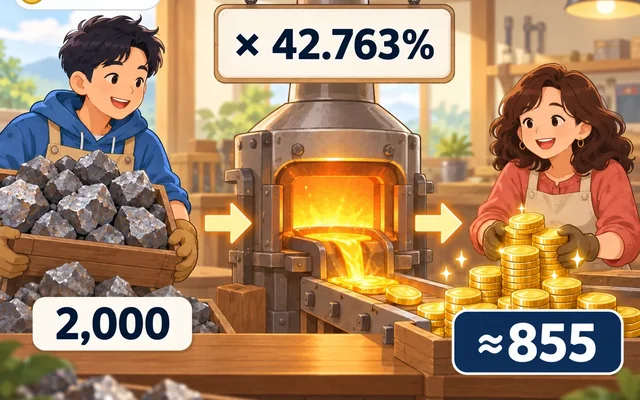
- Refine Multiplier 42.763%: the rate on the day resources are exchanged for SL (rewards post)
- Next Reduction 2027-01-15: the next expected reduction date the explorer calculates and shows. On September 27 it was 2027-01-12, so the number moves
- Genesis Datetime 2022-05-17: the day the ledger started
To check a mining payout, search your wallet address
Enter your wallet address in the search box at the top of the home screen and you can see the records that came in. If you mine through a pool, the pool site's Payouts section has "ON-CHAIN TRANSFERS," which showed 702 that day. You can pick one address of your own and check whether that count matches the explorer's records.
The transaction list also shows other type names besides Send. I couldn't confirm what they all mean. Start with Send, which shows the sender, the receiver and the amount.
So what should you do? Look at the same boxes once a week
- Open explorer.saseul.com and jot down the six boxes at the top
- A week later, open it again and see whether Resource Blocks and Nodes have grown
- If you mine through a pool, compare just one payout on the pool site with your address record
- If the numbers look different, check the pool site's unit first
Sources
- SASEUL Official Explorer · Home screen (Main Blocks 4,591,818, Resource Blocks 2,374,733, Transactions 11,052,887, Nodes 49 / 68, Difficulty 647T, Resource Interval 5' 42", latest block lists) · checked 2026-11-05 05:30
- SASEUL Official Explorer · Statistics (Difficulty 647.83 T ~10.80 TH/s, Total Supply 3,518,053,121, Refine Multiplier 42.763%, Next Reduction 2027-01-15, Genesis Datetime 2022-05-17 04:49:41) · checked 2026-11-05 05:31
- SASEUL Mining Pool (NETWORK ≈ 11.87 TH/s, ON-CHAIN TRANSFERS 702) · unofficial community pool, checked 2026-11-05
- SASEUL two-ledger post (target interval 60 seconds, quoting the CoinMarketCap description) · this blog, 2026-09-27
This is a how-to, not investment advice. I hold SL. I read the numbers myself from the official explorer and pool site screens at around 5:30 a.m. on November 5, 2026.